

Storing the test data of a Universal Hardness Tester is super important for any business that uses these machines. As a Universal Hardness Tester supplier, I've seen firsthand how proper data storage can make a huge difference in efficiency and decision - making. In this blog, I'll share some tips on how to store this valuable data effectively.

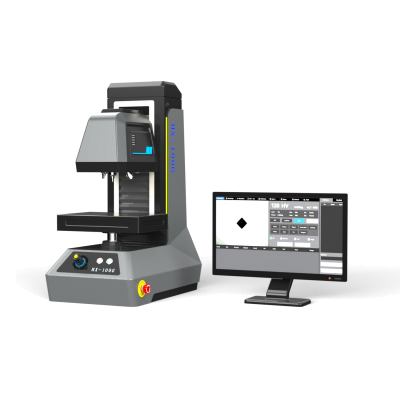
First off, let's talk about why storing test data is a big deal. When you run tests on materials using a Universal Hardness Tester, you're getting crucial information about the material's properties. This data can be used for quality control, research and development, and compliance with industry standards. For example, if you're manufacturing parts for the automotive industry, you need to ensure that the hardness of the materials meets specific requirements. By storing the test data, you can easily track the quality of your products over time and make adjustments as needed.
Now, let's get into the different ways you can store the test data.
1. Local Storage
One of the simplest ways to store test data is on a local computer or server. Most Universal Hardness Testers come with software that allows you to save the test results directly to your device. This has its advantages. It's easy to access the data right from your workplace. You don't have to worry about an internet connection to view the results.
However, there are also some drawbacks. Local storage is limited in terms of capacity. If you're running a large number of tests, you might quickly run out of space. Also, there's a risk of data loss due to hardware failures, such as a hard drive crash. To mitigate this risk, you should regularly back up your data to an external hard drive or another storage device.
2. Cloud Storage
Cloud storage has become increasingly popular in recent years, and for good reason. With cloud storage, you can store your test data on remote servers maintained by a third - party provider. This offers several benefits.
First of all, it provides virtually unlimited storage space. You don't have to worry about running out of room, no matter how many tests you conduct. Second, it's accessible from anywhere with an internet connection. So, if you're on the go or working from a different location, you can still view and analyze your test data.
Many cloud storage providers also offer advanced security features, such as encryption and regular data backups. This helps protect your data from unauthorized access and loss. Some Universal Hardness Tester software even integrates directly with popular cloud storage services, making it easy to transfer your data.
3. Database Management Systems
For more complex data storage and management needs, a database management system (DBMS) might be the way to go. A DBMS allows you to organize your test data in a structured way, making it easier to search, analyze, and report on the information.
There are different types of DBMS, such as relational databases (e.g., MySQL, PostgreSQL) and non - relational databases (e.g., MongoDB). Relational databases are great for storing structured data, such as test results with predefined fields like material type, hardness value, and test date. Non - relational databases are more flexible and can handle unstructured data, which might be useful if you're collecting additional information along with the standard test results.
Using a DBMS requires some technical knowledge, but there are many resources available online to help you get started. You can also hire a database administrator if you don't have the in - house expertise.
4. Data Format and Standardization
Regardless of the storage method you choose, it's important to pay attention to the data format. Most Universal Hardness Testers can export data in common file formats like CSV (Comma - Separated Values), Excel spreadsheets, or XML. These formats are easy to read and can be opened with a variety of software applications.
Standardizing your data format is also crucial. This means using consistent naming conventions for your files and fields. For example, if you're recording the hardness value, use the same unit of measurement (e.g., Rockwell, Brinell) across all your tests. This makes it easier to compare and analyze the data later on.
Our Universal Hardness Testers
As a supplier, we offer a range of Universal Hardness Testers to meet different needs. For instance, the HTBRV - 250 G Electric Universal Hardness Tester is a high - performance machine that provides accurate and reliable test results. It comes with user - friendly software that allows you to easily save and manage your test data.
The Electric Dial Display Universal Hardness Tester is another great option. It's simple to operate and offers a cost - effective solution for hardness testing. And if you're looking for advanced features, the Weight Load Touch Screen Universal Hardness Tester is a top - of - the - line choice. It has a touch - screen interface and can store a large amount of test data.
Wrapping Up
Storing the test data of a Universal Hardness Tester is an important part of the testing process. Whether you choose local storage, cloud storage, or a database management system, make sure you have a plan in place to keep your data safe and accessible. By following the tips I've shared in this blog, you can ensure that your test data is well - organized and useful for your business.
If you're interested in purchasing a Universal Hardness Tester or have any questions about data storage, feel free to reach out for a procurement discussion. We're here to help you find the best solution for your needs.
References
- ASTM International. (Year). Standard Test Methods for Rockwell Hardness of Metallic Materials. ASTM E18.
- ISO (Year). ISO 6506 - 1: Metallic materials - Brinell hardness test - Part 1: Test method.